Advanced Search
Overview
The Advanced Search feature in OpenCVE allows users to precisely target the CVEs they are looking for by offering greater flexibility and control. Instead of relying on broad searches, users can filter CVEs based on specific criteria, enabling them to focus on the vulnerabilities that matter most to their organization or projects.
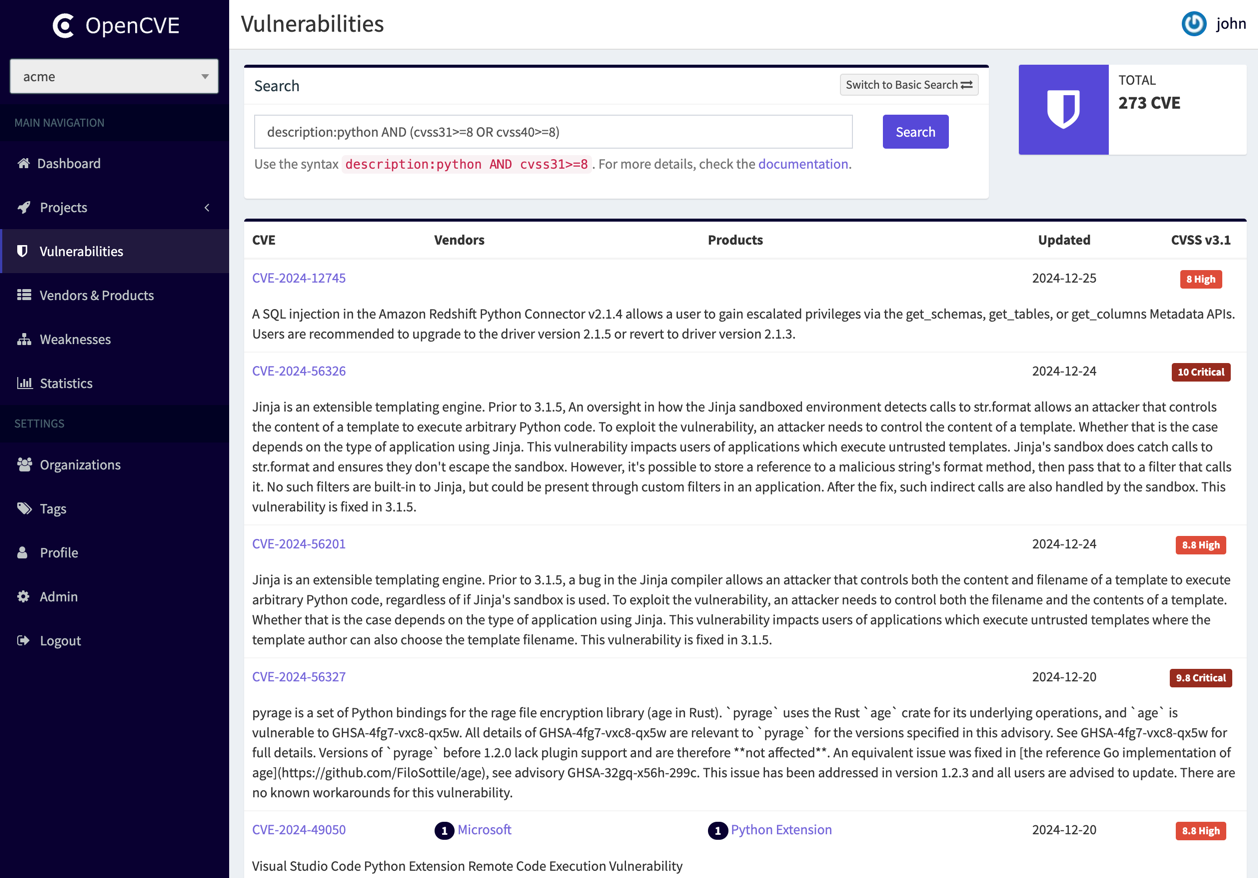
This feature is particularly useful for security professionals who need to:
- Quickly identify high-severity vulnerabilities affecting their vendors or products.
- Refine search results to avoid irrelevant CVEs.
- Combine multiple conditions to create complex search queries.
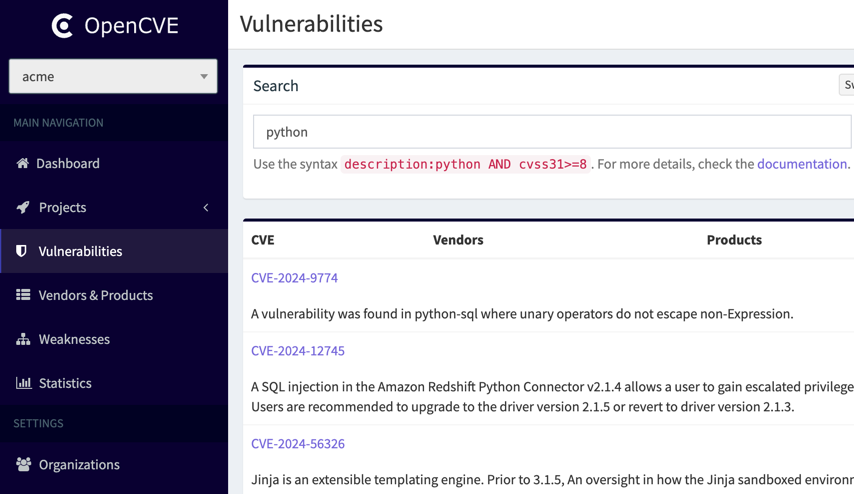
By default, the search bar accepts a single keyword, which will automatically search within the description field of the CVEs.
For example, searching for the keyword python will return all CVEs that mention "python" in their description:
Tip
Additionally, you can search for a specific CVE by directly entering its ID, such as CVE-2025-23214.
Field-Based Search
To provide more precision, users can search within specific fields using the following syntax:
field_name operator search_value
The currently supported fields are:
- cve - Search based on the CVE ID.
- description - Search within the CVE description.
- title - Search within the CVE title.
- cvss20 - Search based on CVSS 2.0 score.
- cvss30 - Search based on CVSS 3.0 score.
- cvss31 - Search based on CVSS 3.1 score.
- cvss40 - Search based on CVSS 4.0 score.
- vendor - Search by vendor name (e.g.,
microsoft). - product - Search by product name (e.g.,
android). - userTag - Search by user tag associated with the CVE.
- project – Search using the vendors and products subscribed in a project.
- kev – Search based on the KEV catalog. Accepts
trueorfalse. - epss – Search based on EPSS score. Accepts a percentage (e.g.,
epss:80) or a decimal between 0 and 1 (e.g.,epss:'0.8'). - created - Search by CVE creation date.
- updated - Search by CVE last modification date.
Important
Each field supports specific operators to refine your queries effectively:
- description, title, and cve fields support the operators
:and=::performs a partial (LIKE) search.=performs an exact match search.
- Metrics fields (cvss20, cvss30, cvss31, cvss40, epss) support the following comparison operators:
>,>=,<,<=,=. - Date fields (created, updated) also support comparison operators (
>,>=,<,<=,=). They accept a specific date inYYYY-MM-DDformat or a relative date (e.g.,7dfor 7 days,1mfor 1 month, or1yfor 1 year). - vendor, product, userTag and kev fields only support the
:operator.
By using fields and operators, you can fine-tune your searches to quickly find relevant CVEs based on your needs.
Combining Conditions
Users can combine multiple fields using logical operators:
- AND – Returns results that match all conditions.
- OR – Returns results that match at least one condition.
- Parentheses () – Group conditions to create more complex queries.
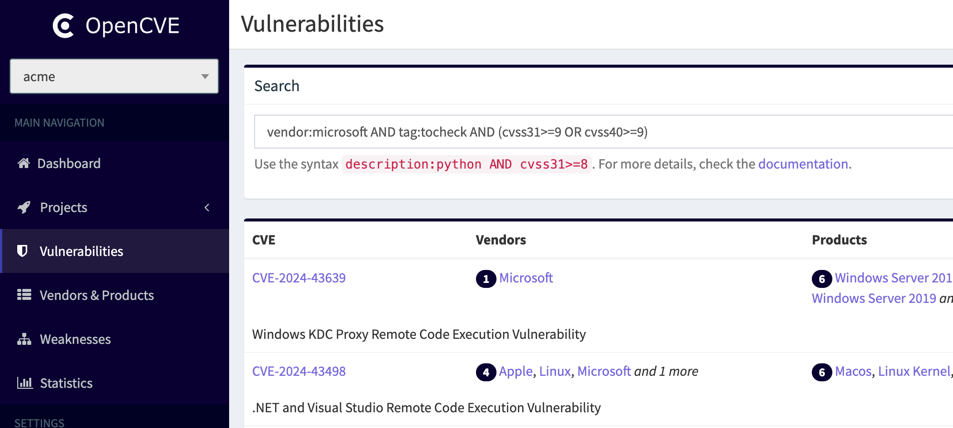
For example, the following query searches for CVEs with the user tag tocheck from Microsoft that have a high score in CVSS 3.1 or CVSS 4.0:
vendor:microsoft AND userTag:tocheck AND (cvss31>=9 OR cvss40>=9)
Search Examples
To search for CVEs related to Microsoft:
vendor:microsoft
To search for high-severity Microsoft CVEs with a CVSS 3.1 score of 9 or higher:
vendor:microsoft AND cvss31>=9
To search for CVEs with a high score in either CVSS 3.1 or CVSS 4.0:
cvss31>=9 OR cvss40>=9
To search for CVEs within a product and in the KEV catalog:
vendor:linux AND product:linux_kernel AND kev:true
To search all CVE in 1999's:
cve:CVE-1999
To search all CVEs related to the vendors and products subscribed to in a project with a high EPSS score:
project:my-project AND epss>=80
To search for all CVEs created in the last 7 days and updated in the last 1 day:
created<=7d AND updated<=1d
To search for all Apache CVEs created in October 2025:
vendor:apache AND created>=2025-10-01 AND created<=2025-10-31
Tip
Using the project field is convenient, as it automatically expands to include all the vendors and products your project is subscribed to.
For example, if my-project is subscribed to the vendorX and vendorY vendors, and the productZ product, the following two queries are equivalent:
project:my-projectvendor:vendorX OR vendor:vendorY OR product:productZ
Query Builder
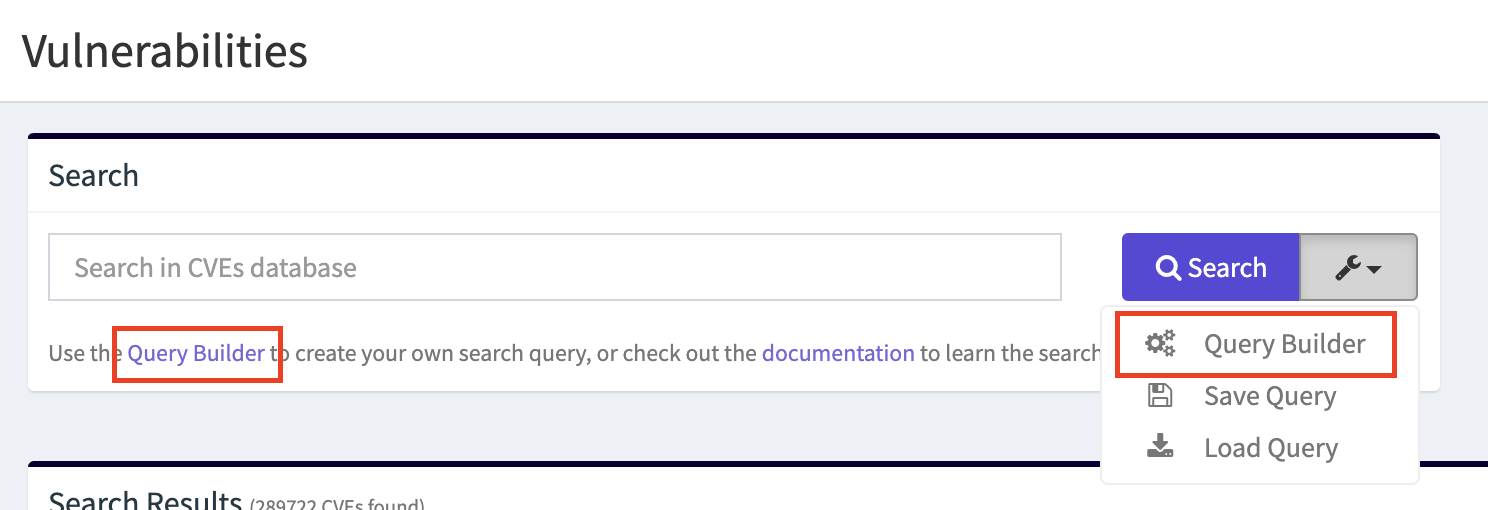
If you're not comfortable writing advanced queries manually, OpenCVE provides a Query Builder to help you.
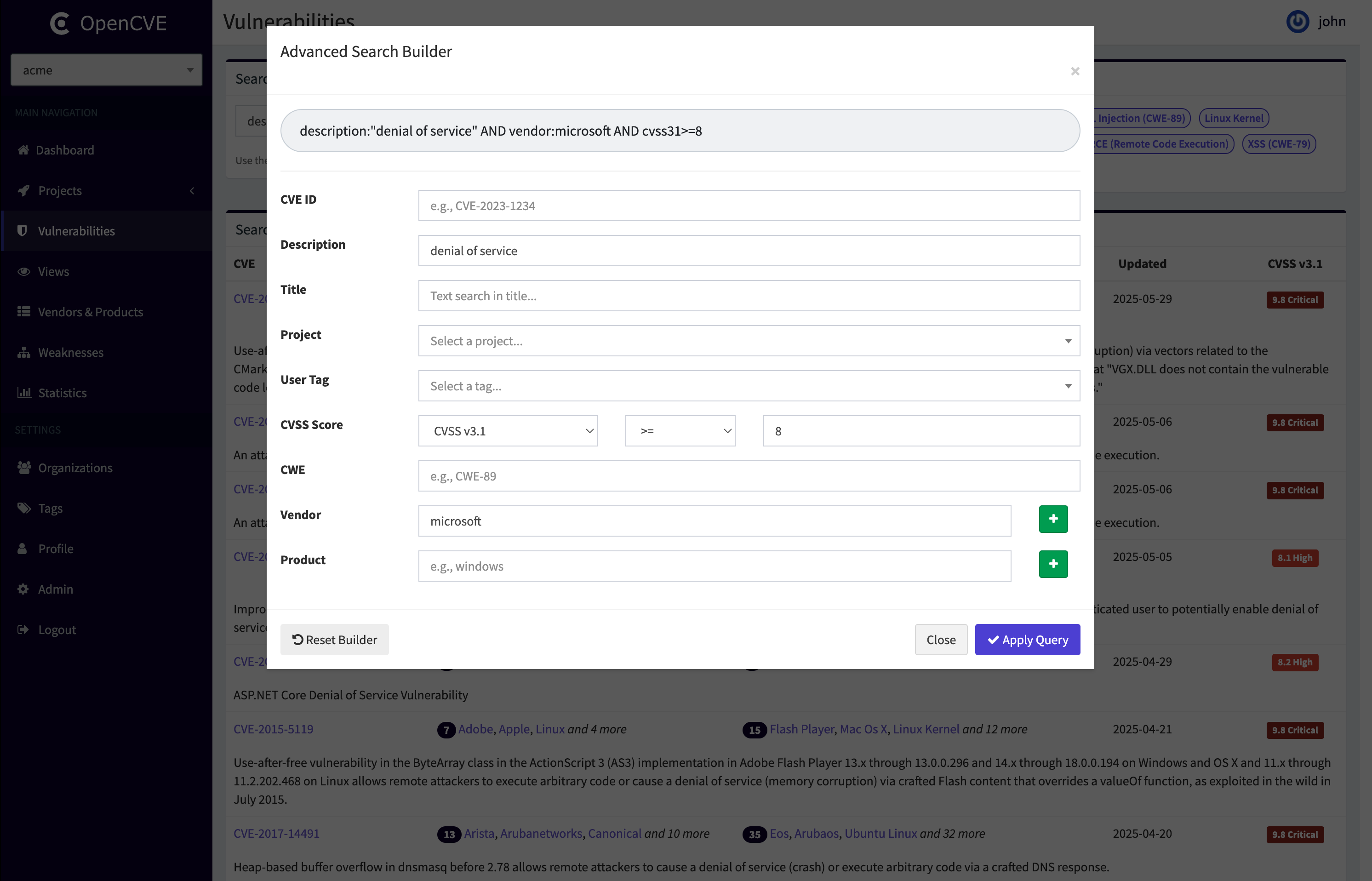
This form-based tool allows you to create a query by simply filling in the fields you care about: CVE ID, Description, Title, CWE, Vendor, Product, User Tag, or CVSS Score.
The Query Builder will then generate the equivalent advanced query using the AND operator between each field.
Note:
- The builder does not support
ORlogic—onlyAND. - It cannot reverse-engineer an existing query into the form.
Look for the Query Builder buttons when performing advanced searches on the vulnerabilities page:
Search Limitations
To ensure optimal performance, advanced search queries are currently limited to a maximum of 5 fields. If a query exceeds this limit, it will be rejected with an error message
This limitation helps prevent excessive load on the database. If this restriction proves too limiting in the future, alternative solutions such as ElasticSearch, MeiliSearch, or Typesense may be considered. However, for now, OpenCVE remains focused on simplicity and performance using PostgreSQL.
Tip
You can update this value with the CVES_ADVANCED_SEARCH_MAX_FIELDS setting if you manage your own OpenCVE instance.