Troubleshooting
Info
This page contains some advice about common errors and problems encountered by OpenCVE users.
Why Am I Not Receiving Emails?
If you encounter issues receiving emails, you can follow this guide to learn how to configure and debug your email settings effectively.
How to Configure OpenCVE with a Proxy?
If your network requires internet access through a proxy, you can configure OpenCVE to work seamlessly by setting the appropriate environment variables.
Add the following variables to your docker/.env file:
HTTP_PROXY– URL of your HTTP proxy server.HTTPS_PROXY– URL of your HTTPS proxy server.NO_PROXY– Comma-separated list of domains that should bypass the proxy.
Example:
# Proxy configuration
HTTP_PROXY=http://proxy.example.com:8080
HTTPS_PROXY=https://secure-proxy.example.com:8443

# Domains that should bypass the proxy
NO_PROXY=localhost,127.0.0.1,opencve.example.com
How to Configure OpenCVE behind a Reverse Proxy?
If you host OpenCVE behind a reverse proxy such as nginx and are facing error messages such as CSRF verification failed. Request aborted., try adding the following lines to your opencve/web/opencve/conf/settings.py:
CSRF_TRUSTED_ORIGINS = [
    "http://*.example.com",
    "https://cve.example.com"
]
For more information, refer to the Django documentation about CSRF_TRUSTED_ORIGINS.
Docker build fails due to network issues
During installation with ./install.sh start, the Docker build may fail with messages like:
Connection timed out [IP: xxx.xxx.xxx.xxx 80]
E: Unable to locate package git
This means the container could not access the internet to fetch packages. This issue is related to your host machine or Docker network configuration, not to OpenCVE itself.
You can work around the issue by forcing Docker to use the host network during the build. Edit your docker-compose.yaml and add network: host under the build section of the service that fails, for example:
webserver:
    env_file:
      - .env
    build:
      context: ../web/
      network: host
      ...
Then run the installation again:
./install.sh start
Note
network: host only works on Linux. If you're on macOS or Windows, make sure your Docker has proper internet access and DNS resolution.
How to Fix the CVE-2025-8875.json (KeyError: 'opencve') Bug
This issue occurred because CISA added a new entry to its KEV list before MITRE had added it to the official CVE database. An issue has been raised here.
Because this behavior was undocumented, OpenCVE’s scheduler failed to parse the entry, resulting in the following error:
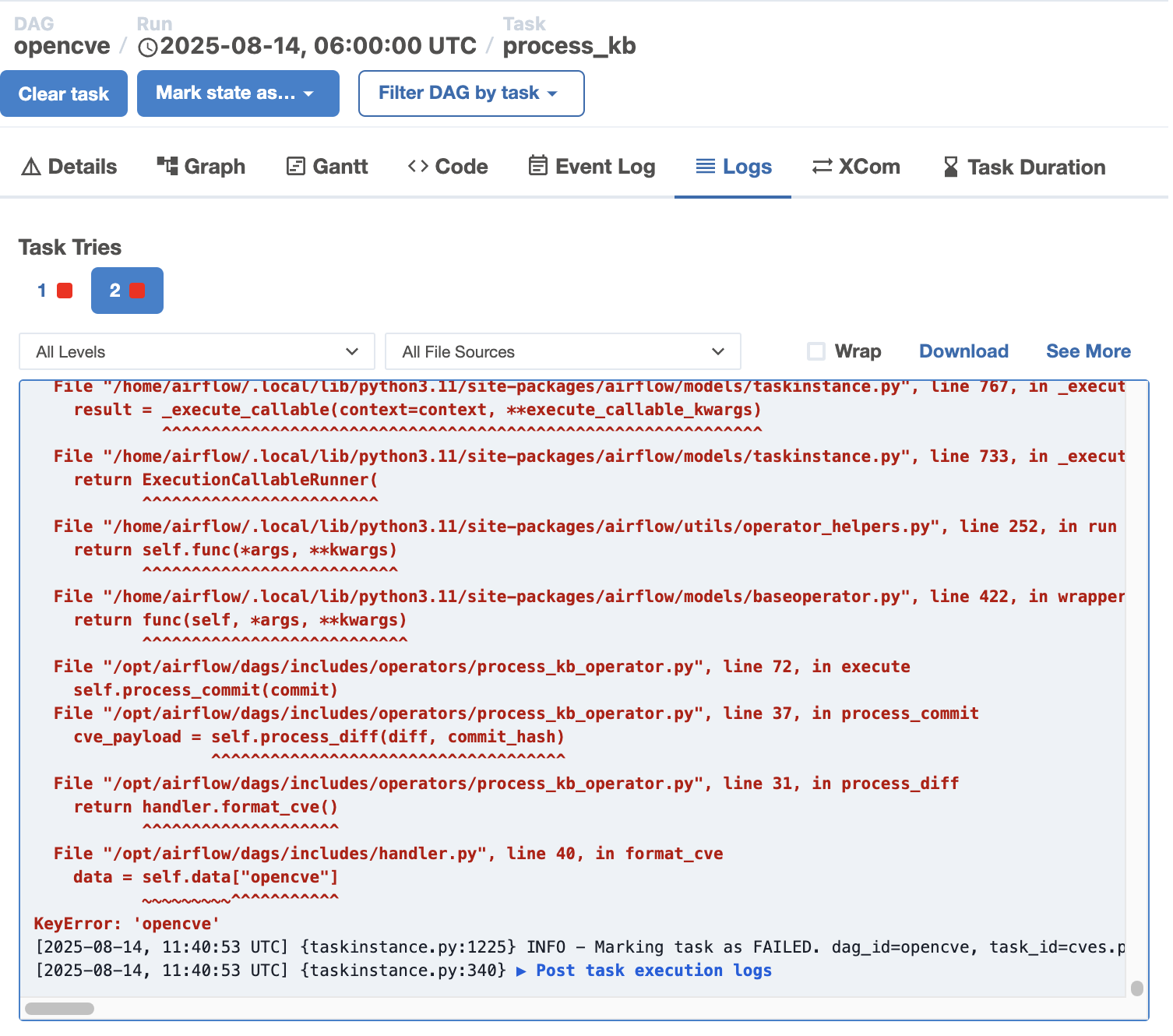
The problem has been fixed in this pull request.
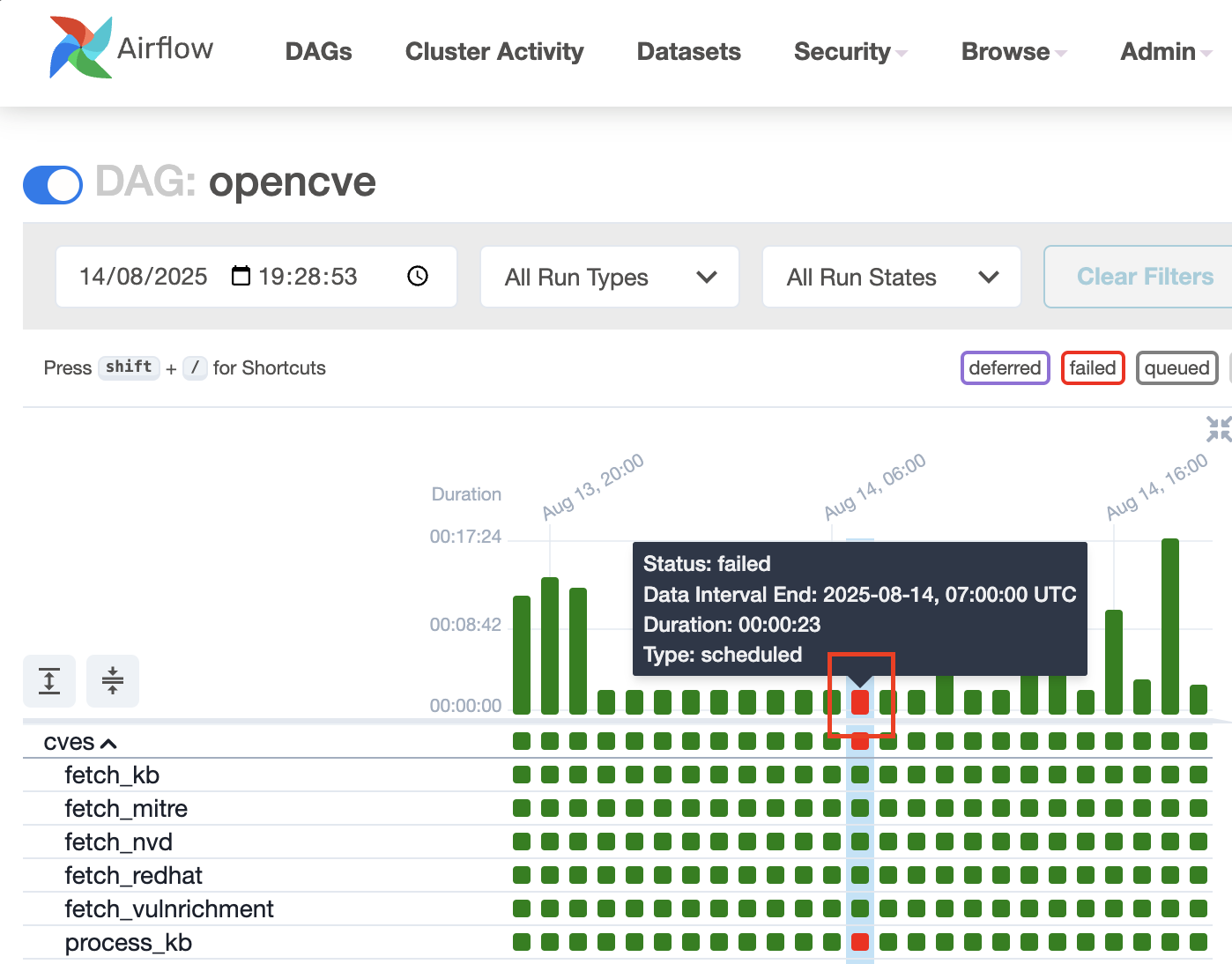
You can upgrade OpenCVE with ./install.sh upgrade (see Operations → Upgrade) and relaunch the failed DAG run in your Airflow scheduler instance. To do so, select it:
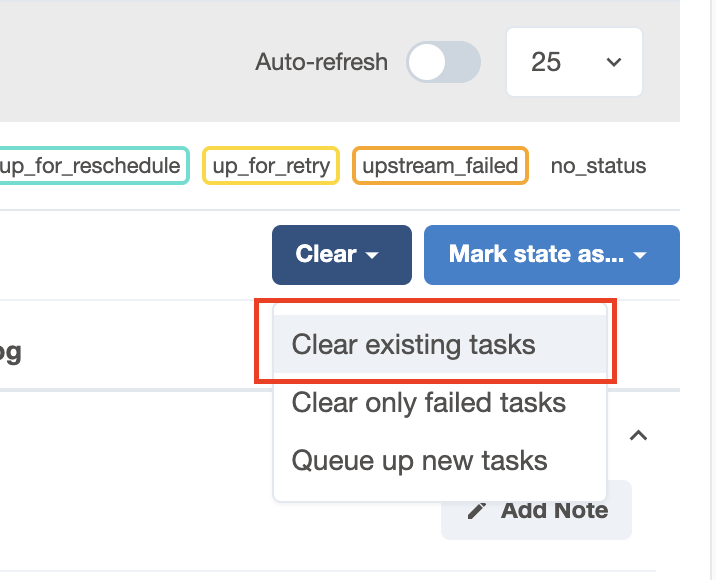
Then click on the "Clear Existing Tasks" button: