Fundamentals & Core Concepts
Organizations
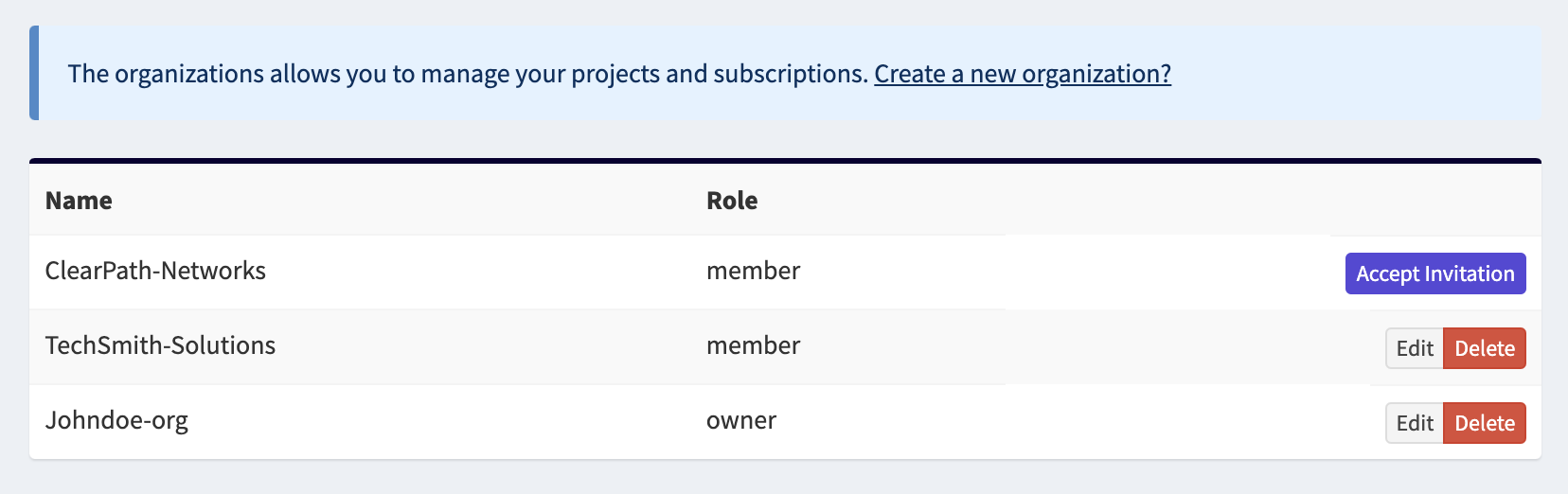
In OpenCVE, an Organization is the highest-level object. It represents your company or your team in OpenCVE. All resources — projects, users, subscriptions, notifications, and API usage — are managed at the organization level.
Each user can belong to one or more organizations, with one of the following two roles:
- Member, who can manage subscriptions (vendors and products).
- Owner, who has full control over the organization, including managing memberships.
Organizations allow multiple users to collaborate while sharing quotas such as subscriptions and API calls.
Projects
Projects are the main building blocks of an organization in OpenCVE. Each organization can contain one or more Projects.
A project allows you to:
- Track the technologies you want to monitor for vulnerabilities,
- Configure notification channels to receive alerts,
- Generate reports and summaries of CVE activity,
- Assign users to CVEs and manage their status (e.g., analysis, risk acceptance).
Projects help organizations structure their subscriptions in a way that matches their teams and workflows. Common use cases include:
- MSSPs creating a project for each client (e.g., client1, client2, client3),
- IT companies creating projects for different technical teams (e.g., team-X, team-Y, team-Z),
- Smaller organizations splitting projects by role, for example one project for developers and another for sysadmins.
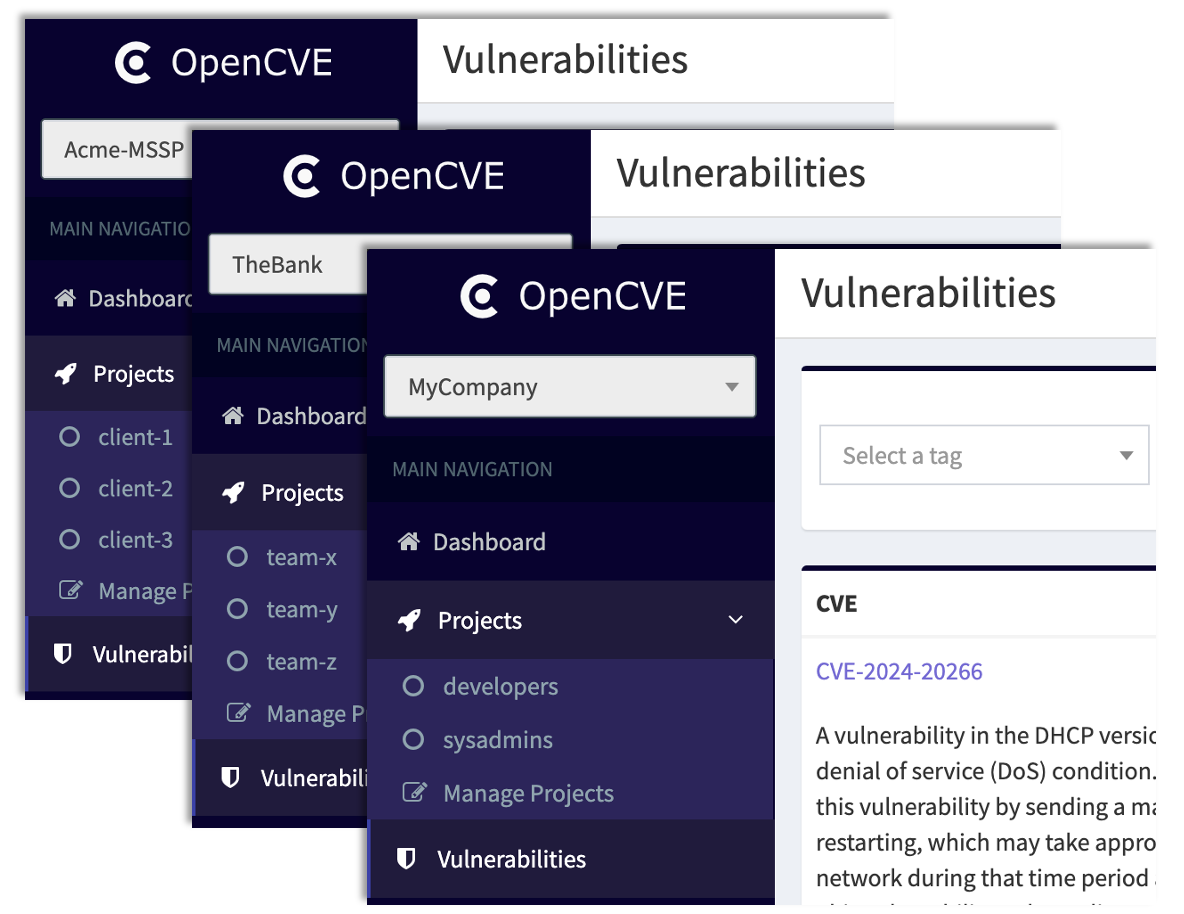
Each project operates independently, with its own dashboard to track vulnerabilities in its subscriptions. By splitting monitoring into projects, you can scope CVE exposure by product, team, customer, or environment, keeping a clear, focused view of what matters most.
Notifications
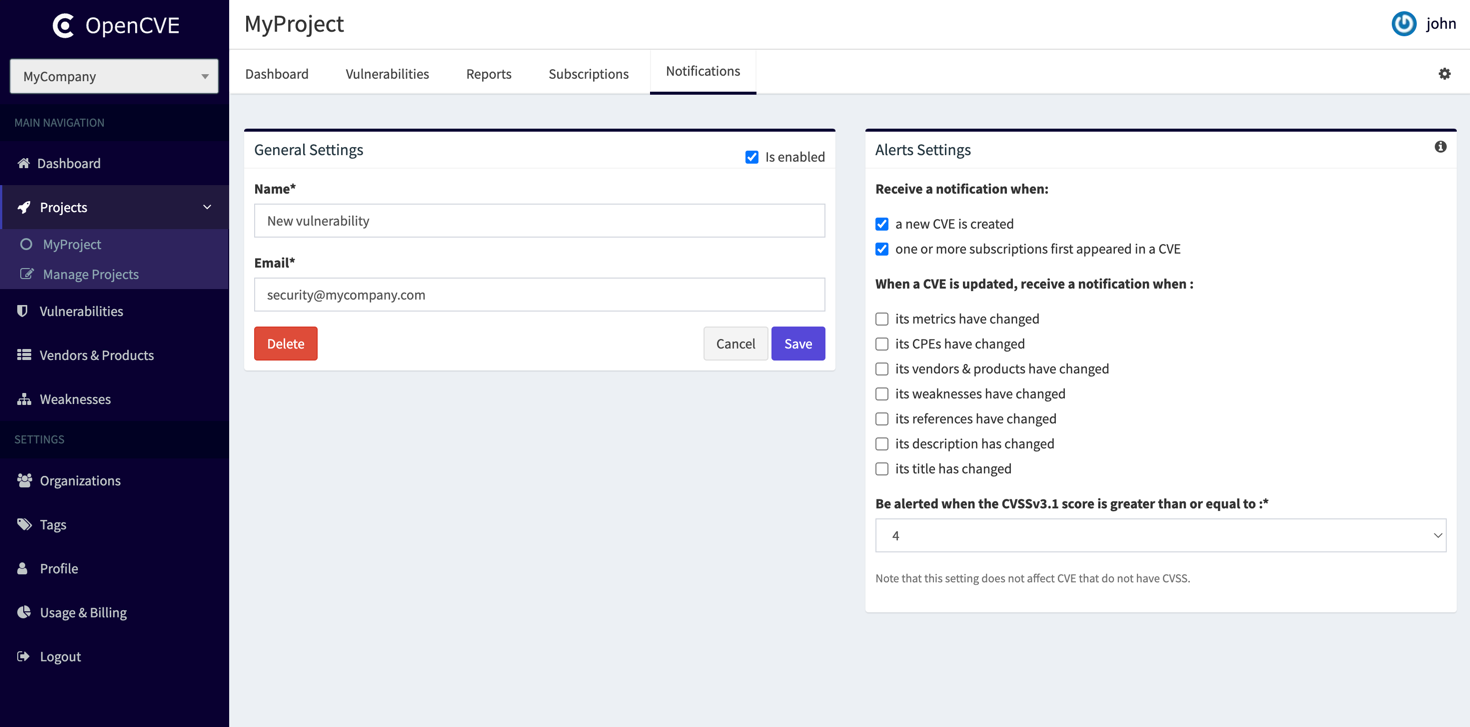
Notifications are alerts triggered whenever a CVE appears or an existing CVE is updated, and the CVE affects one of your tracked technologies (subscriptions). They ensure you stay informed about relevant vulnerabilities.
A project can have one or more notification channels, which define how notifications are delivered.
OpenCVE currently supports:
email– send updates to configured addresses,slack– post updates to Slack channels,webhook– send updates via HTTP POST to external systems.
Users can combine channels to fit their workflows. For example:
- All updates can be sent to an API using a webhook,
- Critical CVEs (CVSS >= 9) can trigger an email to a mailing list.
Note
Additional channels, such as Microsoft Teams, are planned for future releases.
Reports
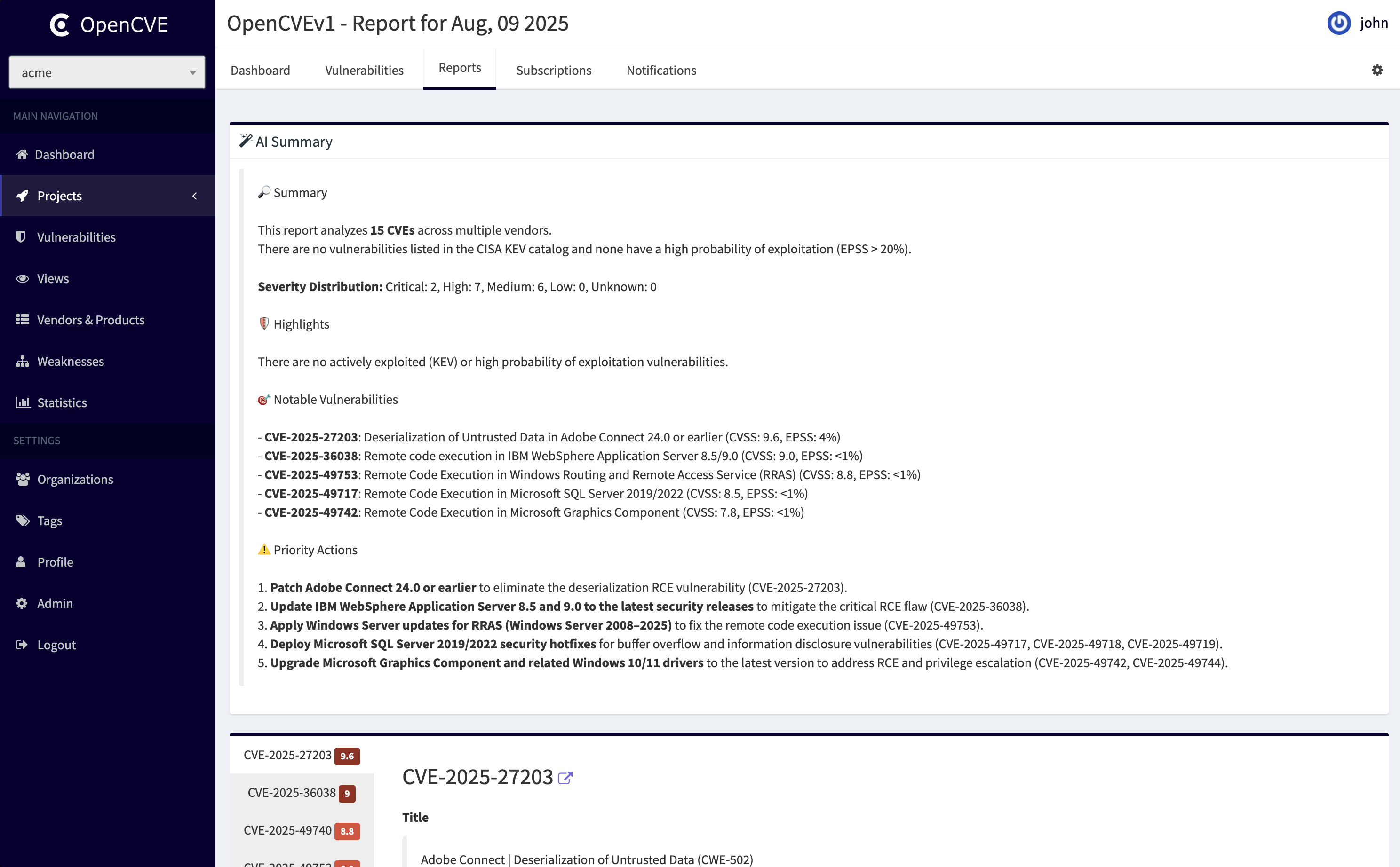
Each project includes a Reports tab, which provides a daily summary of all activity related to the project's subscriptions (the technologies you track).
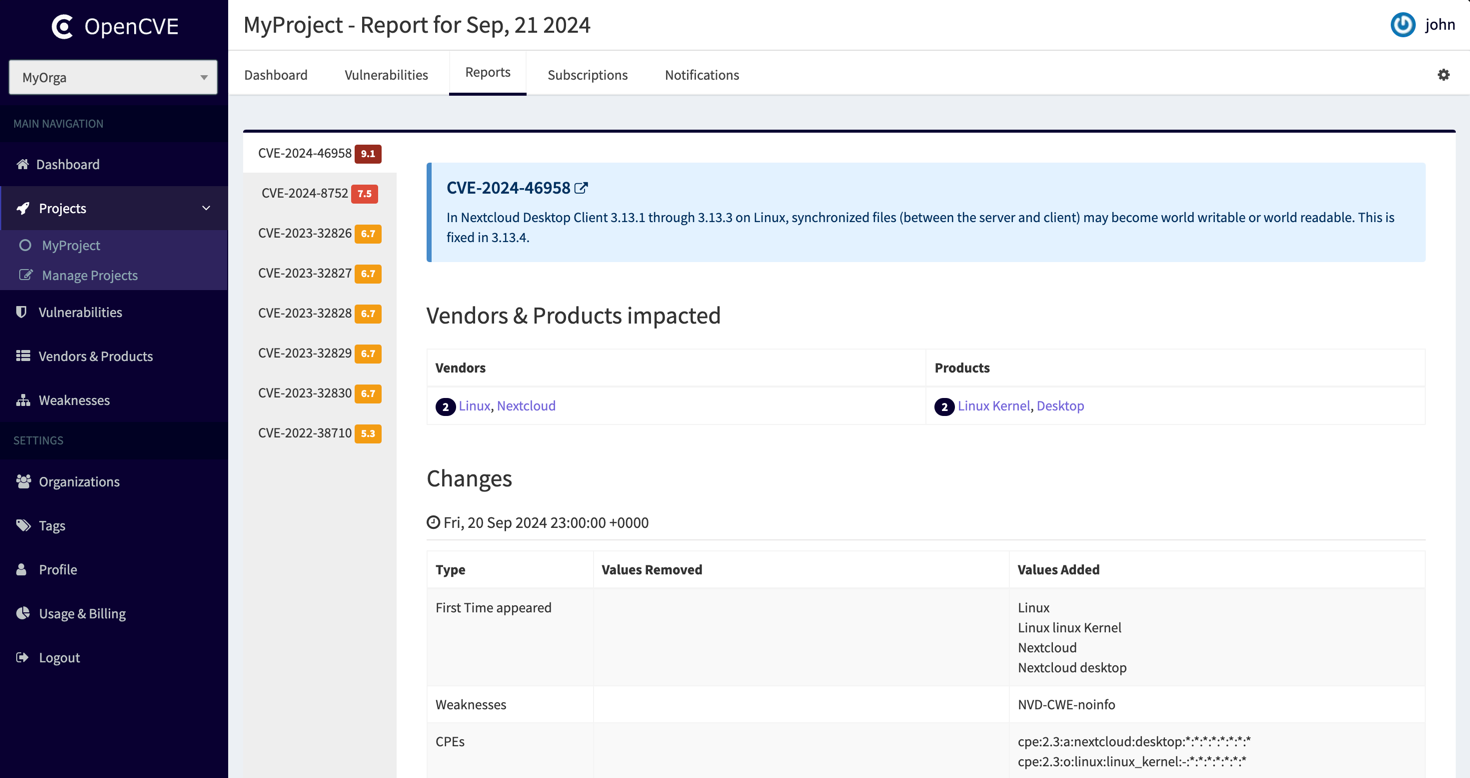
Daily reports give users a complete overview of what happened with their tracked technologies, helping teams stay informed and maintain visibility over time.
Info
Reports are different from notifications:
- Notifications alert you in real time when a CVE matches your filters,
- Daily reports include all CVE updates for your subscriptions, providing a broader view of activity.
AI-Powered Report Summary
In addition to raw reports, OpenCVE generates an AI-powered summary for each project. This summary highlights:
- the most critical CVEs,
- priority areas,
- recommended actions.
It allows users to quickly understand where to focus, without manually reviewing every vulnerability.
Dashboards
Dashboards let you build a personalized homepage made of dynamic widgets: CVE activity, reports by project, saved views, tags, and more. Widgets can be freely positioned, resized, and configured to match your workflow.
You can create multiple dashboards to organize your widgets — for example one per theme, team, or use case — and switch between them as needed.
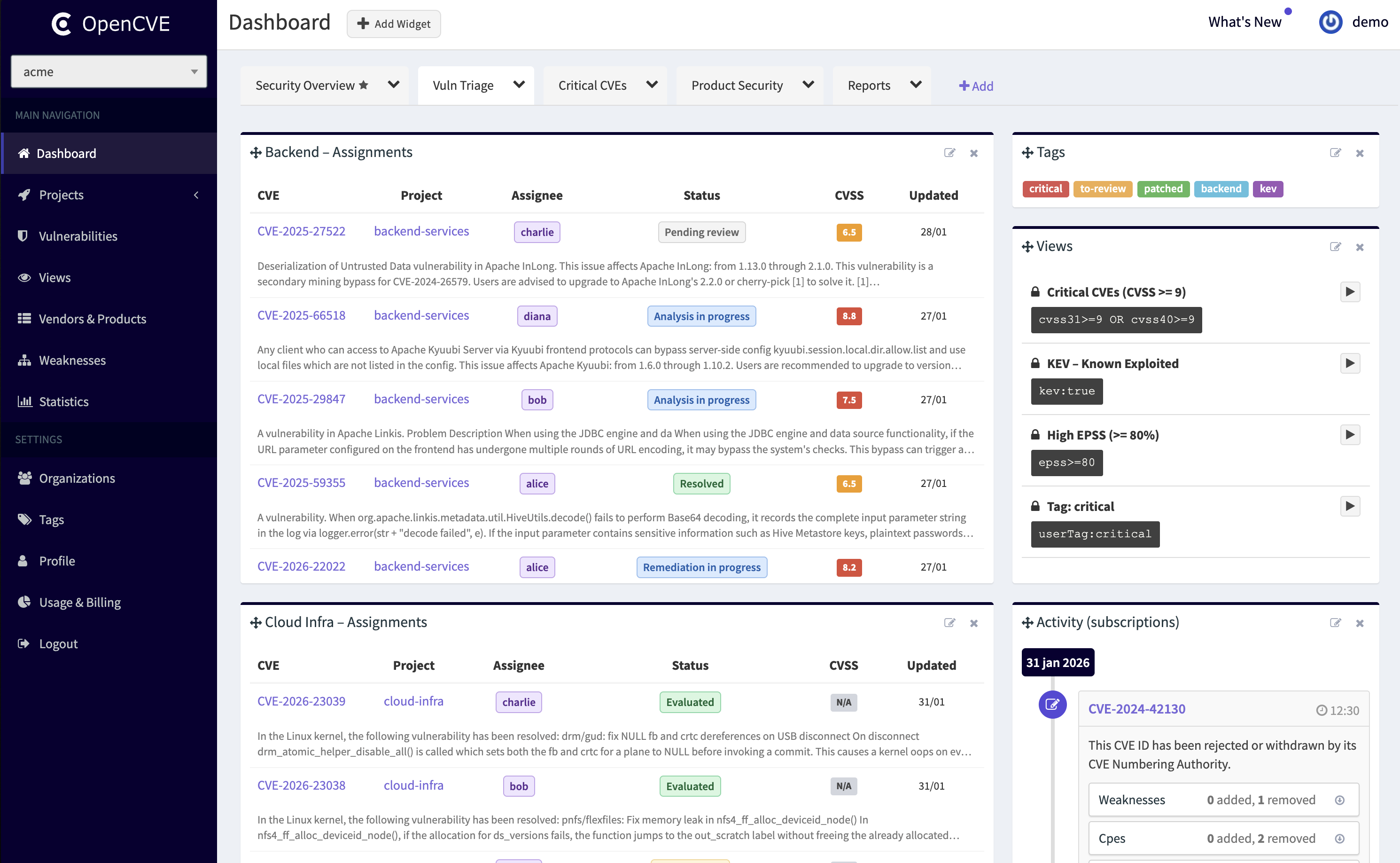
This helps centralize key information, improve visibility over vulnerabilities, and focus on what matters most. For details and setup, see the Dashboards guide.
Users
Users are members of your organization who can collaborate within OpenCVE.
Each user can:
- Access projects to view CVEs, reports, and summaries relevant to their subscriptions.
- Collaborate on vulnerability analysis, marking CVEs as reviewed, or sharing insights with the team.
- Be assigned responsibilities such as analysis, remediation tracking, or risk acceptance.
By assigning roles and responsibilities within projects, OpenCVE ensures clear ownership of vulnerabilities and efficient collaboration between security and engineering teams.
Subscriptions
Subscriptions define the technologies you monitor for vulnerabilities, such as vendors, products, or software stacks (e.g., Fortinet, Cisco, WordPress, Terraform).
Subscriptions allow teams to prioritize critical technologies, organize monitoring efficiently, and ensure consistent vulnerability tracking across all projects.