Audit Logs
OpenCVE includes Audit Logs, a feature that allows organizations to keep track of important actions performed within their workspace.
Audit Logs provide full visibility into who did what and when, making it easier to monitor configuration changes, investigate incidents, and maintain operational traceability.
Why Audit Logs matter
In many organizations, vulnerability management involves multiple users interacting with projects, notifications, subscriptions, views, or API tokens. Without proper traceability, it can be difficult to understand:
- who changed a configuration
- when a subscription was added or removed
- why a notification stopped working
- how permissions evolved
Audit Logs solve this problem by recording key actions performed within your organization.
This level of visibility is particularly important for teams that need to maintain accountability, internal control, and strong security processes.
What is tracked?
Audit Logs record actions performed on several OpenCVE resources such as:
- projects
- notifications
- subscriptions
- memberships
- API tokens
- views
- organization settings
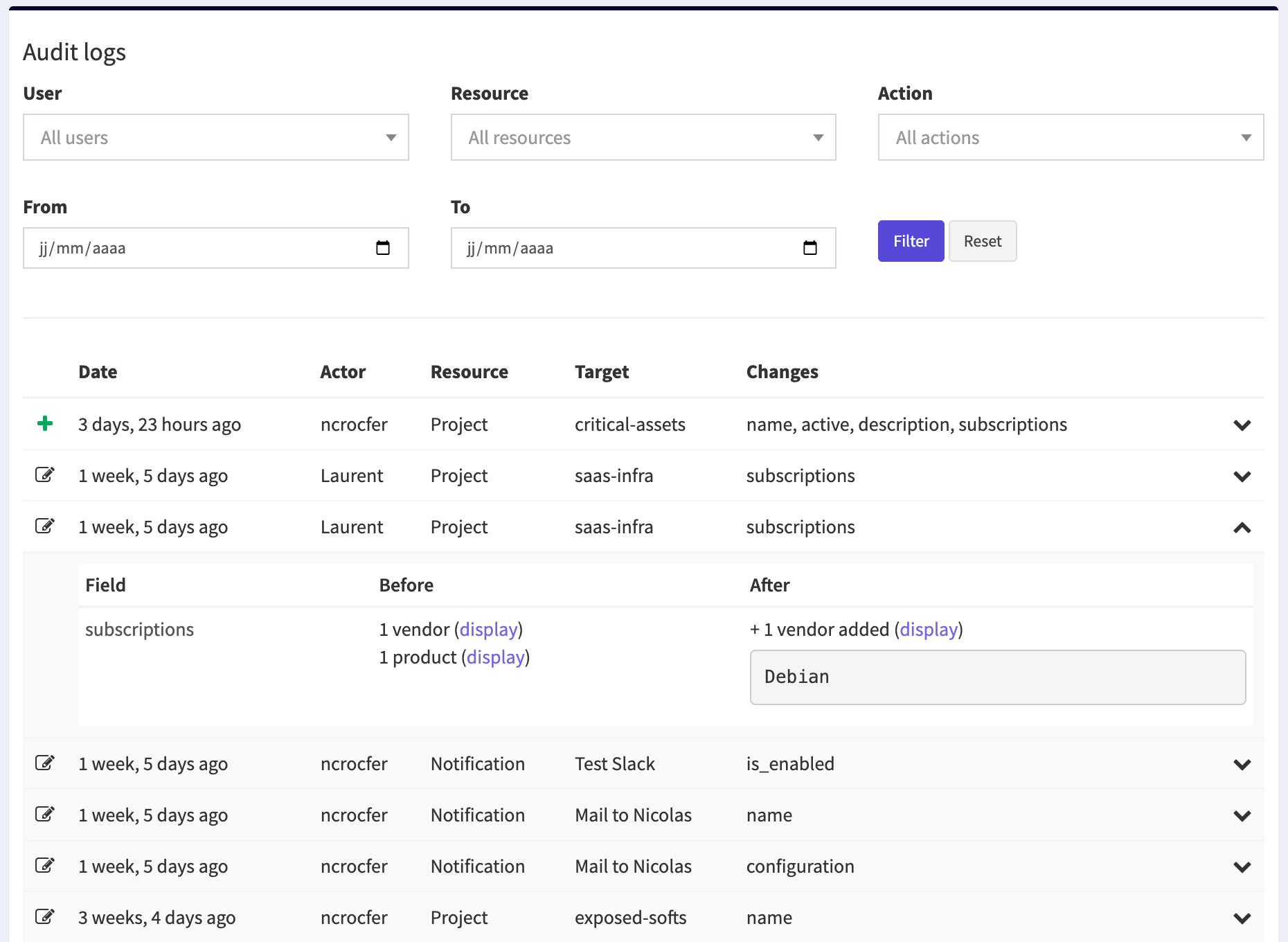
Each log entry includes:
- the user who performed the action
- the action type (create, update, delete)
- the resource affected
- the timestamp
When a resource is updated, OpenCVE also displays the fields that were modified, with a comparison showing the previous value and the new one:

This makes it easy to understand exactly what changed.
Where can I find the audit logs?
You can access the audit logs from your organization’s settings.
When to use Audit Logs
Audit Logs are particularly useful when you need to:
- investigate configuration changes
- review actions performed by team members
- understand why a workflow changed
- maintain internal security traceability
For organizations operating with strong security requirements, maintaining a clear audit trail is an essential part of a mature vulnerability management process.