Access Control
OpenCVE uses a role-based access control system with two levels: organization and project.
This model helps teams collaborate safely: you control who can manage the organization, who can create projects, and who can work on CVEs inside each project, without giving everyone full access to everything.
Why use organization and project roles?
Roles let you match access to how your team actually works:
- delegate organization administration (members, API tokens, projects) without sharing full owner rights,
- give each team access only to the projects they need,
- offer read-only visibility on some projects while allowing CVE triage on others.
OpenCVE separates this into:
- Organization roles: who can manage the workspace (members, tokens, projects, settings),
- Project roles: who can view or operate on CVEs inside a given project,
How it works
flowchart TB
    user[User]
    orgMembership[Organization membership]
    projectMembership[Project membership optional]
    orgPerms[Organization permissions]
    projectPerms[Project permissions]

    user --> orgMembership
    orgMembership --> orgPerms
    orgMembership --> projectMembership
    projectMembership --> projectPerms
    orgMembership -->|"Owner or Admin"| implicitAdmin[Implicit Project Admin on all projects]
    implicitAdmin --> projectPerms
Key rules:
- A user must belong to the organization (invitation accepted, not pending) before they can be added to a project.
- Organization Members only see and access projects they are explicitly assigned to.
- Organization Owners and Admins have Project Admin rights on every project in the organization, even if they are not listed on the project members page.
- Pending invitations (
not yet joined) have no access until the user accepts.
API tokens are separate
Organization API tokens (REST API v2) are not user ACL proxies. They authenticate as the organization itself with read/write scope. User roles described in this guide apply to the web UI and user-based flows.
Organization roles
Each user has one organization role per organization:
| Role | Summary |
|---|---|
| Owner | Full control over the organization, including deletion, audit logs, and billing. |
| Admin | Manage members (Members only), tokens, and projects. Cannot edit organization settings or delete the organization. |
| Member | Access the organization and projects they are assigned to. No organization administration. |
Organization permissions
| Permission | Owner | Admin | Member |
|---|---|---|---|
| Access the organization | |||
| Edit organization settings | |||
| Delete the organization | |||
| View & manage members | |||
| Manage API tokens | |||
| View audit logs | |||
| Manage billing & subscription | |||
| Create projects | |||
| Delete projects |
Member management details:
- Owners can invite, change roles, and remove any member. Only Owners can assign the Owner or Admin role.
- Admins can invite and manage Members only. They cannot change or remove Owners or other Admins.
- Members cannot manage organization members.
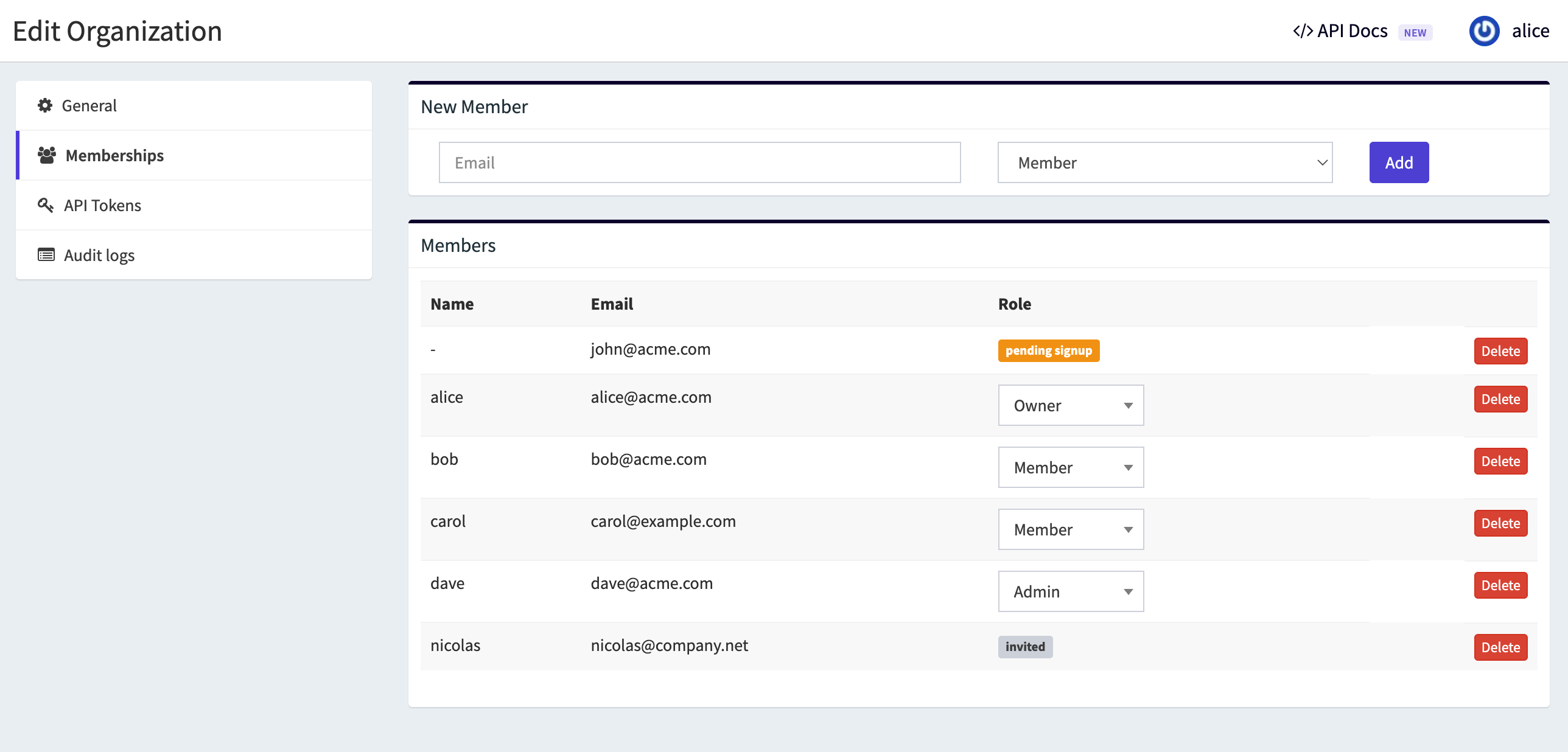
Manage organization members
Organization members are managed from the organization settings.
Project roles
Project roles apply to organization Members who have been added to a project.
Organization Owners and Admins do not need a project membership: they already have Project Admin rights on all projects (see below).
| Role | Summary |
|---|---|
| Viewer | Read-only access to project data (CVEs, reports, automations, notifications, subscriptions). |
| Contributor | Viewer + operational CVE work (assign, status, comments). |
| Project Admin | Contributor + project management (settings, members, subscriptions, automations, notifications). |
Project permissions
| Permission | Viewer | Contributor | Project Admin | Org Owner / Admin |
|---|---|---|---|---|
| View project & CVEs | ||||
| Export CVEs | ||||
| View reports | ||||
| View automations & notifications | ||||
| View subscriptions | ||||
| View project members | ||||
| Assign CVEs | ||||
| Update CVE status | ||||
| Comment on CVEs | ||||
| Edit project settings | ||||
| Manage project members | ||||
| Manage subscriptions | ||||
| Manage automations | ||||
| Manage notifications |
Implicit access for Owners and Admins
Organization Owners and Admins automatically receive Project Admin permissions on all projects in the organization.
They see every project in the navigation and dashboards, and can manage any project without being listed on the project members page.
This avoids maintaining duplicate memberships for people who already administer the organization.
Organization Members and project access
Organization Members only access projects where they have an explicit project membership.
If a Member is not assigned to a project:
- the project does not appear in their project list,
- they cannot open the project or its CVEs,
- they cannot be assigned to CVEs in that project.
To grant access, a Project Admin (or an organization Owner/Admin) must add them from the project members page.
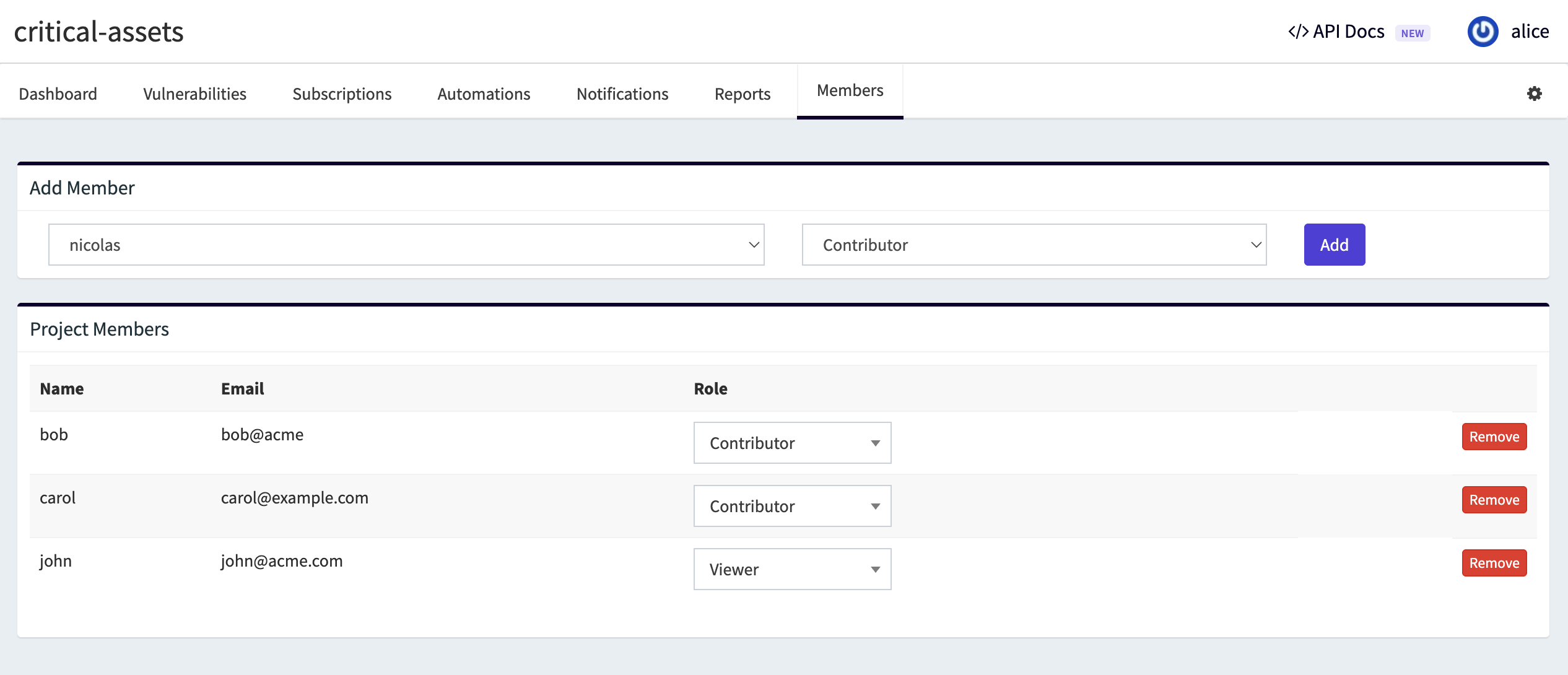
Typical setups
| Scenario | Suggested setup |
|---|---|
| Small team, one owner | Owner manages everything; add Members as Contributors on relevant projects. |
| Delegated administration | Promote trusted users to Admin; keep Owner for billing-level control and audit logs. |
| Read-only stakeholders | Add as organization Member, assign Viewer on selected projects. |
| MSSP per-client projects | Admin or Owner creates projects; client contacts get Viewer or Contributor on their project only. |