Automations
OpenCVE helps you track CVEs that match your project subscriptions. As your monitoring grows, so does the volume of updates, and with it, the noise.
Automations let you define workflows around the CVEs that matter to your projects. Instead of reacting manually to every change, you decide when a workflow runs, which CVEs should match, what conditions apply, and which actions OpenCVE should take.
Automations help security, vulnerability management, SOC, DevSecOps, and engineering teams:
- reduce noise and focus on relevant CVEs
- improve triage and prioritization
- automate repetitive tasks such as notifications, assignments, and status updates
- produce scheduled reports for daily or weekly reviews
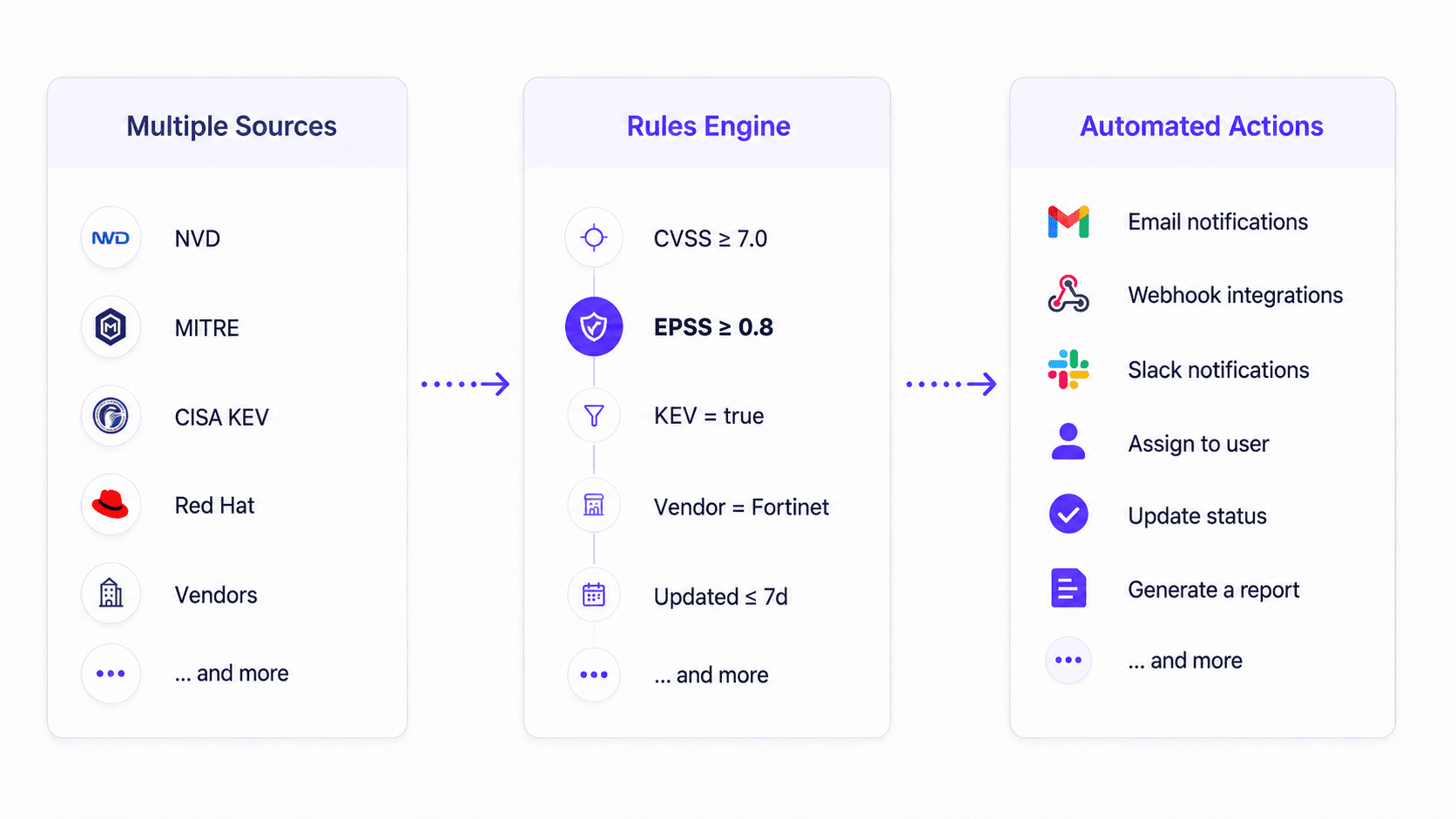
How automations work
Every automation follows the same mental model:
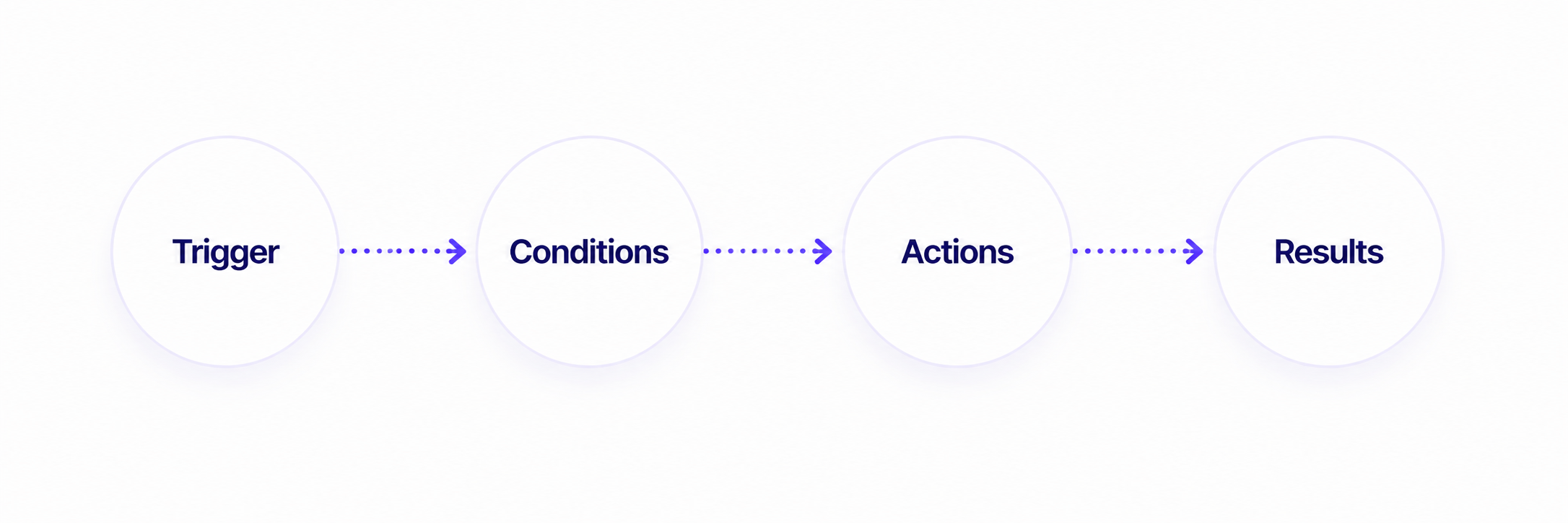
| Step | What it means |
|---|---|
| Trigger | When the automation should run |
| Conditions | Which CVEs should match (optional filters to reduce noise) |
| Actions | What OpenCVE should do when CVEs match |
| Results | What was produced, visible in the execution history |
All automations only apply to CVEs that already match your project subscriptions (vendors and products you follow). You do not need a separate condition for that, it is implicit.
Automation types
OpenCVE supports two automation types: alert automations and report automations.
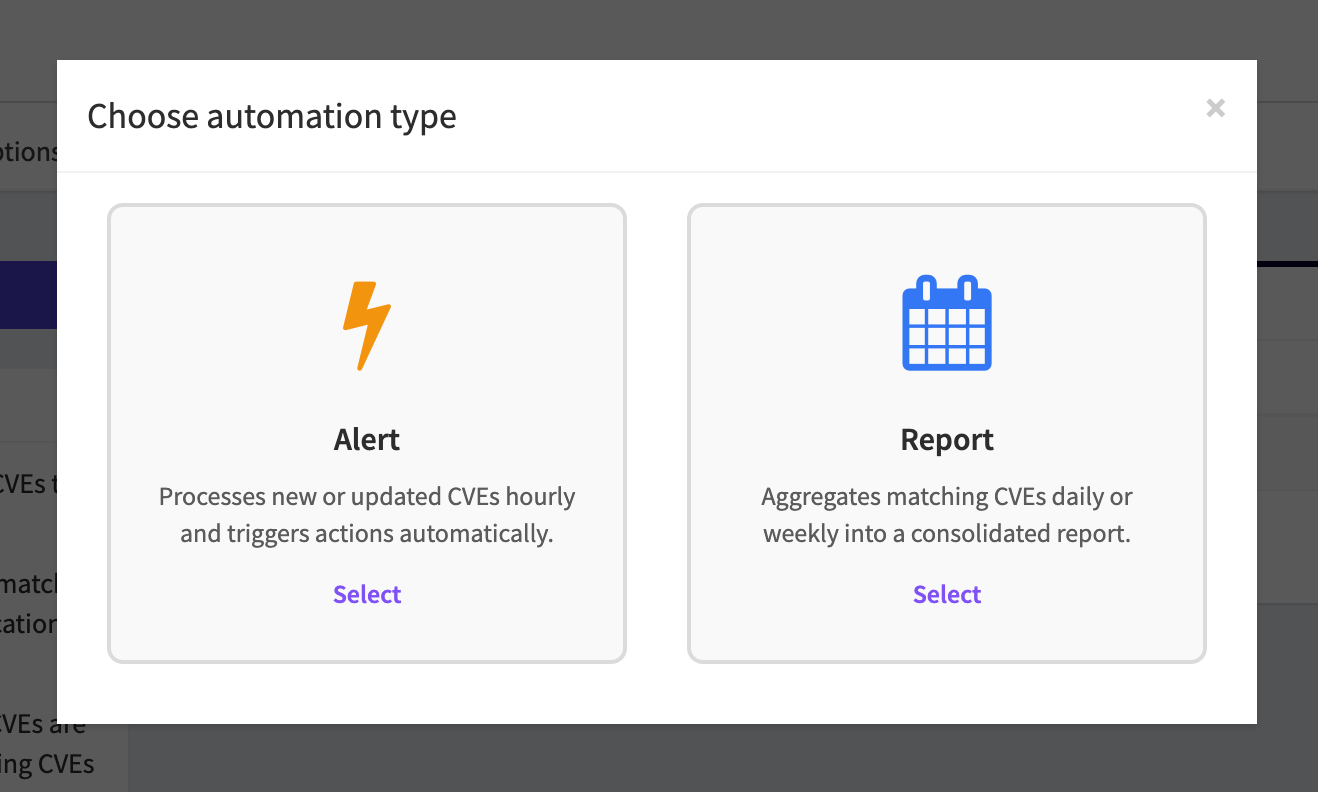
Alert automations
Alert automations are designed for near real-time reactions.
They run every hour and process CVEs that matched during the previous hour.
They are a good fit when you need to:
- send a notification as soon as a CVE enters a project
- react quickly to critical CVEs
- trigger a webhook toward an internal tool
- assign a CVE to a user for triage
- change a CVE status automatically
In the automation editor, you configure:
- WHEN: which events should trigger the automation (at least one required)
- IF: optional filters to narrow matching CVEs
- THEN: actions to perform
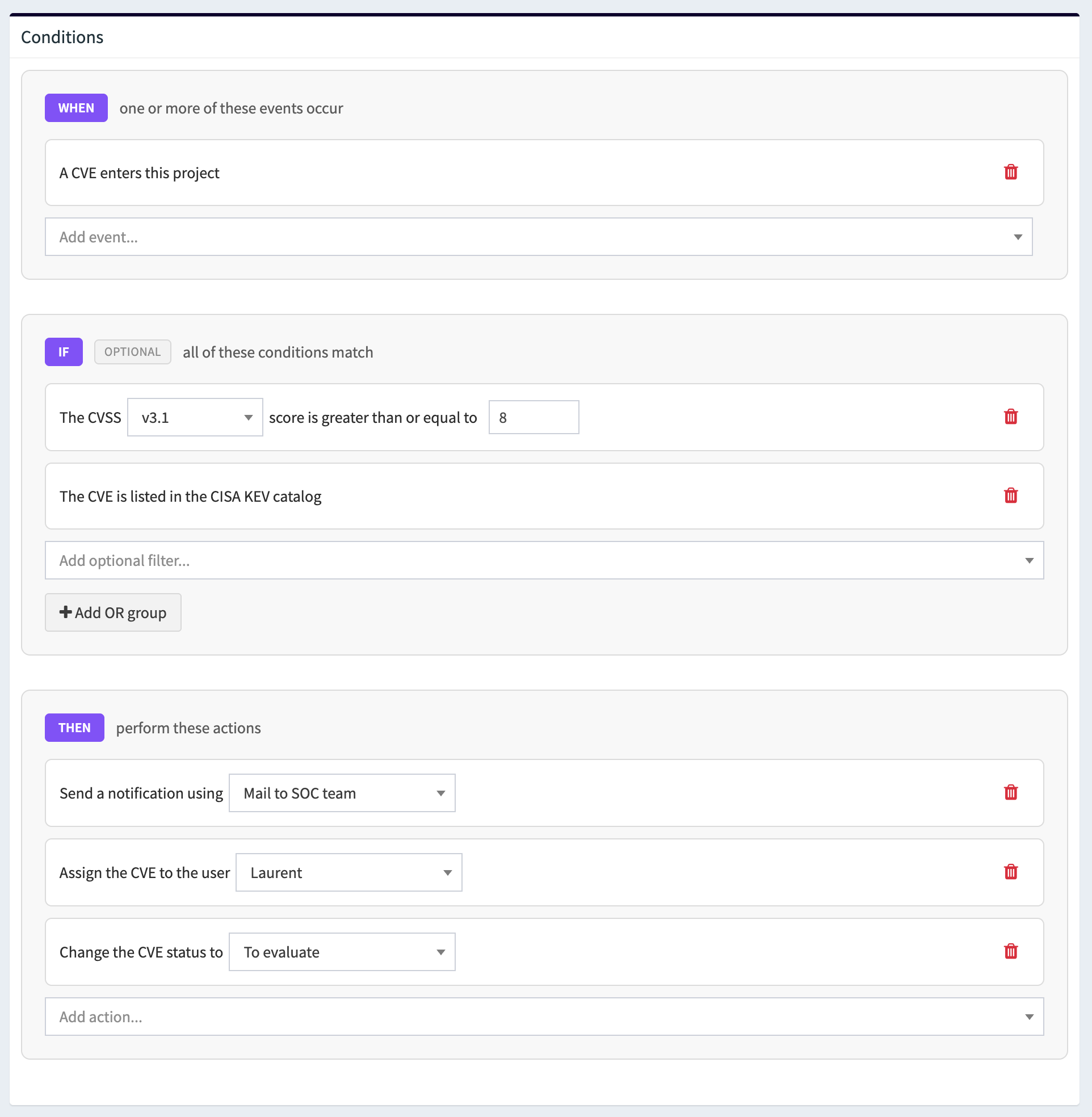
Available events (WHEN)
- A CVE enters this project
- The CVSS score increases (any version: v2.0, v3.0, v3.1, v4.0)
- The CVSS score decreases (any version)
- The EPSS score increases
- The EPSS score decreases
- The CVE is added to the CISA KEV catalog
- A new affected vendor is added
- A new affected product is added
- The description changes
- The title changes
- A new reference is added
- A new weakness is added
If any configured event occurs during the hourly window and the CVE passes your conditions, the automation runs its actions.
Report automations
Report automations are designed for periodic digests and reviews.
When a CVE is updated and matches a report automation's conditions, OpenCVE creates or updates a report immediately, even if you did not configure any actions. Matching CVEs are grouped into the current daily or weekly period in the automation's timezone.
If you configured one or more actions (for example, send a notification), those actions run at the scheduled time on the report for that period.
They work in two phases:
- Report creation: as CVEs match, they are added to the report for the current period
- Delivery (optional): at the scheduled time, configured actions run on that report (for example, send an email notification)
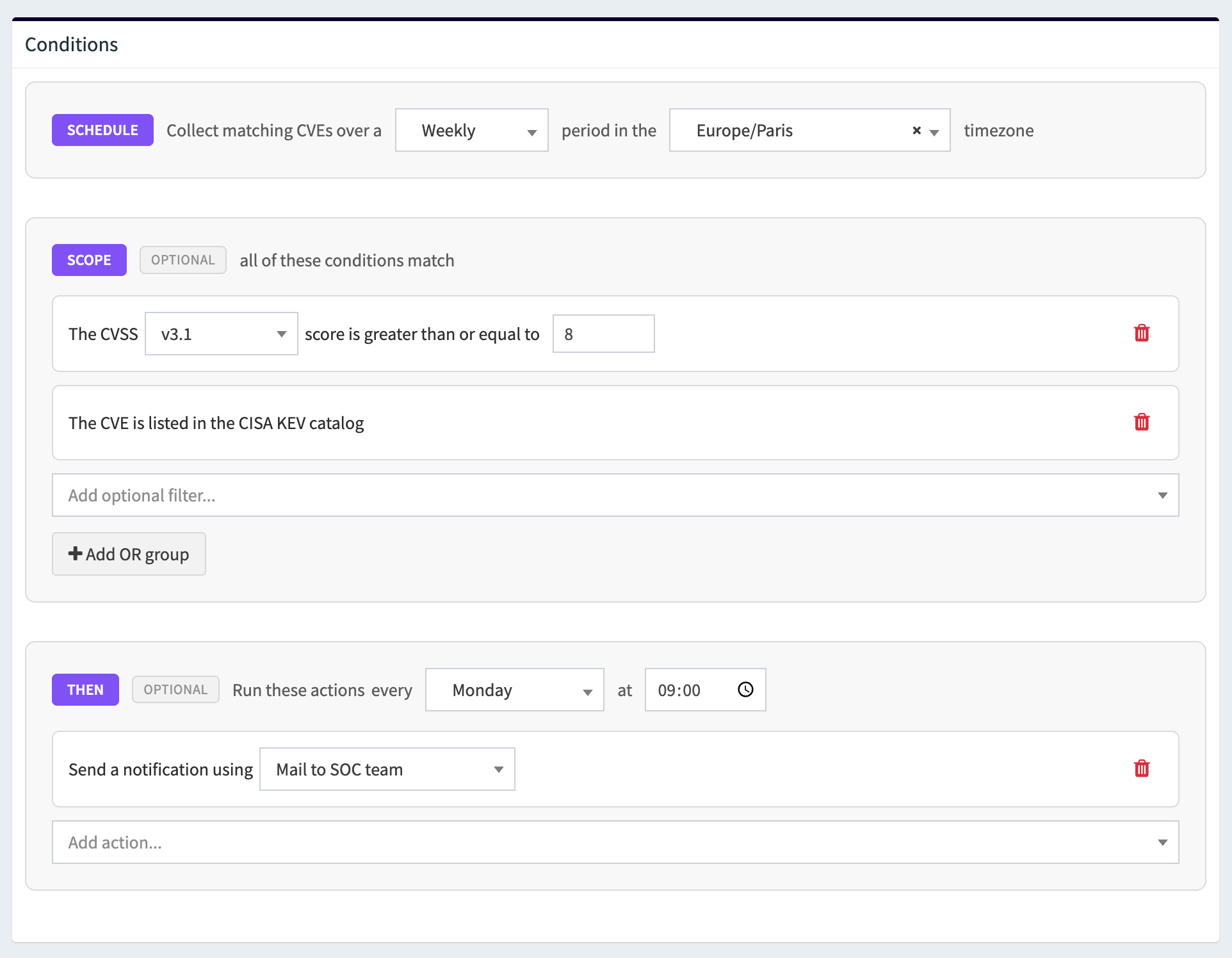
A daily report covers the previous full calendar day in the automation timezone.
A weekly report covers the previous 7 full local days, ending the day before the scheduled send time. The period is aligned with the weekday you choose, so it is not necessarily a fixed ISO week from Monday to Sunday.
Examples
- a daily report scheduled at 09:00 Europe/Paris on Friday includes CVEs from Thursday 00:00:00 to Thursday 23:59:59 in the Europe/Paris timezone.
- a weekly report scheduled Friday at 09:00 UTC includes CVEs from Friday 00:00:00 to Thursday 23:59:59 in UTC.
- a weekly report scheduled Monday at 09:00 Europe/Paris includes CVEs from Monday 00:00:00 to Sunday 23:59:59 in Europe/Paris.
Reports are generated from the last fully completed reporting period.
Because OpenCVE evaluates schedules hourly, report automations must run on the hour, for example 09:00 instead of 09:30.
Conditions
Conditions define which CVEs should match an automation. They are optional but strongly recommended. They are your main tool to reduce noise and focus on what matters.
Conditions are organized as AND groups combined with OR:
- All conditions inside a group must match (AND)
- Any group can match (OR)
If you leave conditions empty, all CVEs that match the trigger (alert) or fall within the report period (report) are included.
Available conditions
- CVSS score, using CVSS v2.0, v3.0, v3.1, or v4.0 values from 0 to 10
- EPSS score, using values from 0 to 1
- CISA KEV presence, to only match CVEs listed in the KEV catalog
- Vendor, to match CVEs affecting a specific vendor
- Product, to match CVEs affecting a specific product
- Publication date, to match CVEs published less than N days ago
- Assignee, to match CVEs with no assignee on the tracker
- Tracker status, for example Pending review
Conditions are useful for triage because they prevent every CVE update from generating noise. A project subscribed to a broad vendor can still receive focused alerts when you combine event triggers with strict conditions.
Plan availability
Some conditions and OR groups require a paid plan on OpenCVE Cloud. See Availability below.
Actions
Actions define what OpenCVE should do when CVEs match an automation.
| Action | Description | Alert automations | Report automations |
|---|---|---|---|
| Send a notification | Deliver a message through a notification channel configured in the project: email, Slack, or webhook | Yes | Yes |
| Assign the CVE to a user | Set the assignee on the CVE tracker for matched CVEs in the project | Yes | No |
| Change the CVE status | Update the CVE tracker status. Available statuses: To evaluate, Pending review, Analysis in progress, Remediation in progress, Evaluated, Resolved, Not applicable, Risk accepted | Yes | No |
| Generate a report | Create or update a report for the current daily or weekly period | No | Yes (automatic) |
This is an important distinction:
- An automation decides when and why something happens
- A notification defines where the message is delivered
Notifications do nothing on their own. They must be attached as actions in your automations.
See Notifications to configure delivery channels in your project.
Executions & Results
Each automation execution produces results you can review for visibility and auditability.
For every run, OpenCVE records:
- when the automation ran
- the evaluation window (hourly range for alerts; full period for reports)
- how many CVEs matched
- an impact summary (CVSS distribution, EPSS stats, KEV count, top vendors/products)
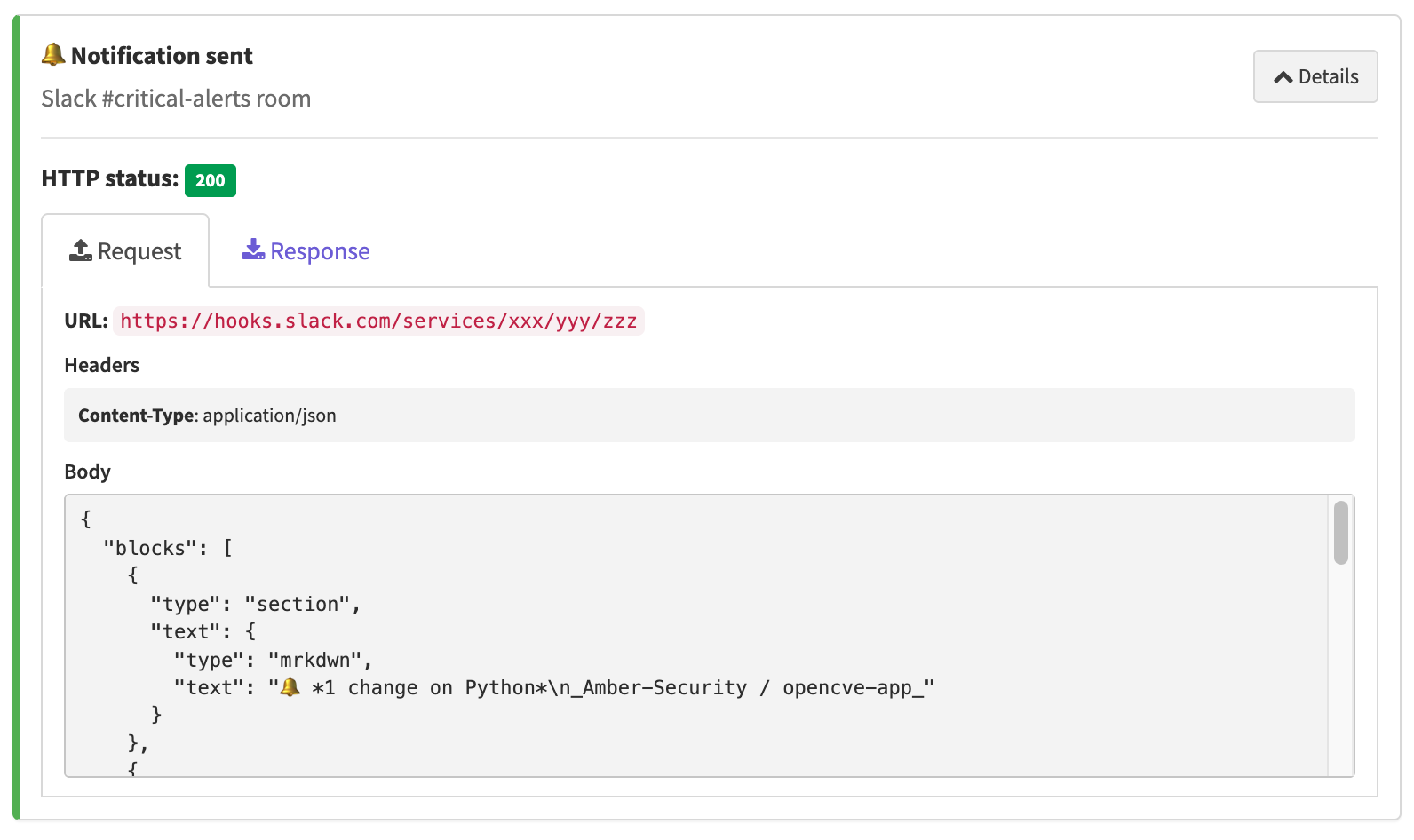
- per-action results with status: Success, Skipped, or Failed
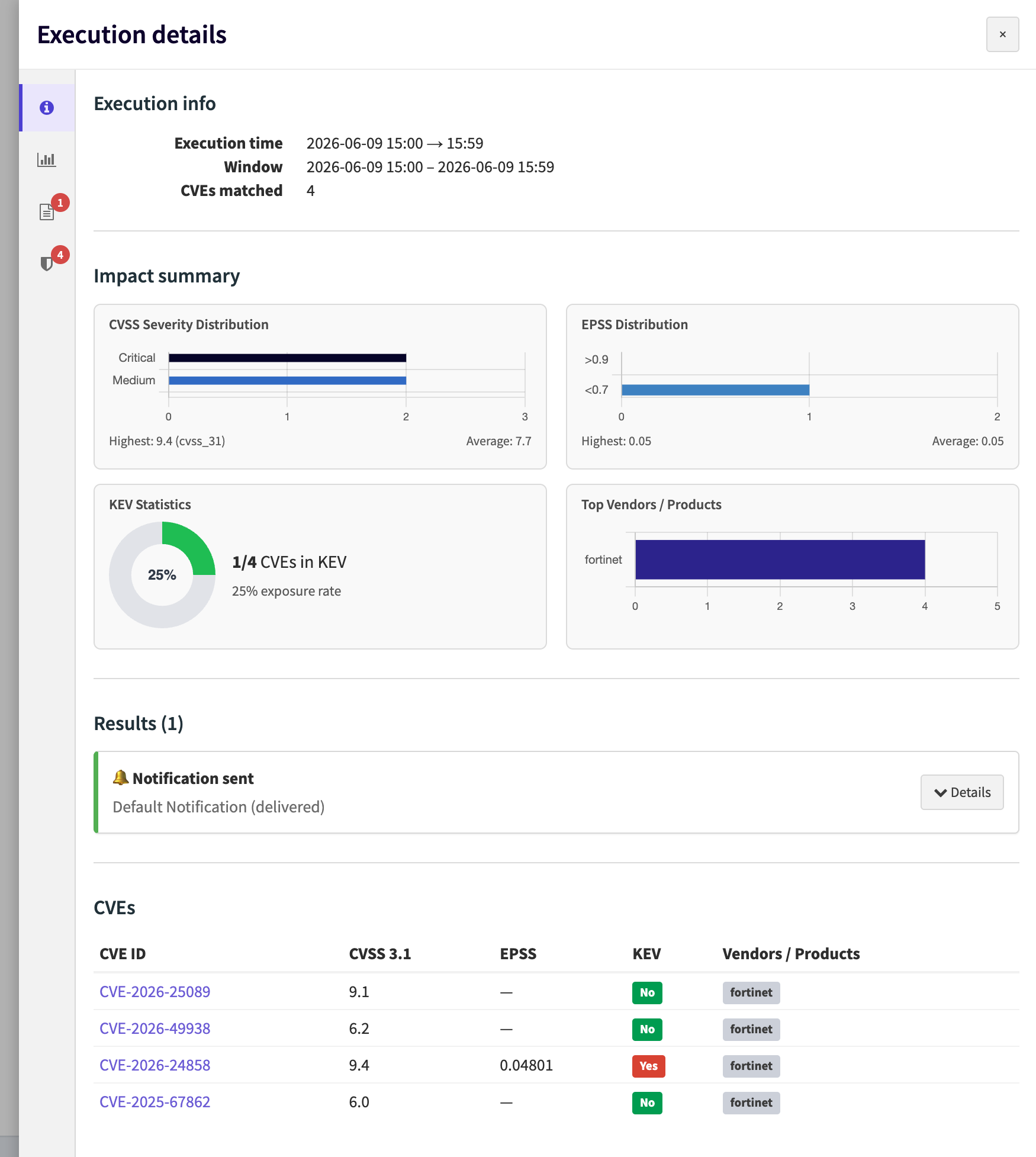
From the automation overview, open any execution to see the matched CVEs table and the outcome of each action.
This helps you verify delivery, troubleshoot failed webhooks, and audit what the automation did:
Examples
Here are practical workflows for security teams.
| Example | Goal | Configuration |
|---|---|---|
| Critical CVE alerting | Get notified quickly when a critical CVE affects tracked products | Type: Alert WHEN: A CVE enters this project IF: CVSS v3.1 ≥ 9 OR CVE is in KEV OR EPSS ≥ 0.50 THEN: Send Slack notification, assign to security engineer, change status to Pending review |
| KEV daily report | Receive a daily digest of exploited vulnerabilities only | Type: Report (Daily, team timezone) SCOPE: CVE is in KEV THEN: Send email notification |
| Weekly vulnerability review | Prepare a weekly summary of important CVEs affecting subscriptions | Type: Report (Weekly, Friday at 09:00) SCOPE: CVSS v3.1 ≥ 7 THEN: Send notification |
| Webhook integration | Push matching CVEs to an internal ticketing, SOAR, SIEM, or dashboard system | Type: Alert or Report IF / SCOPE: Based on CVSS, KEV, vendor, or product THEN: Send webhook notification |
| Triage automation | Automatically classify high-priority CVEs for review | Type: Alert WHEN: A CVE enters this project OR CVE is added to KEV IF: CVSS v3.1 ≥ 8 OR CVE is in KEV THEN: Assign to a user, change status to Pending review |
Cloud plan limits
The following automation features and limits apply to OpenCVE Cloud:
| Feature | Free | Starter | Pro | Enterprise |
|---|---|---|---|---|
| Alert automations | Yes | Yes | Yes | Yes |
| Report automations | No | Yes | Yes | Yes |
| OR condition groups | No | Yes | Yes | Yes |
| Severity & scoring conditions, CVSS and EPSS | Yes | Yes | Yes | Yes |
| Threat context, CVE in KEV | No | Yes | Yes | Yes |
| Targeting filters, vendor and product matching | No | Yes | Yes | Yes |
| Project state conditions, publication date, assignee, and status | No | No | Yes | Yes |
| Automation quota | 1 | 3 | 10, customizable | Unlimited |